How to extract emails from Google Maps (2026)
By Doug Nielsen, Product Manager · Updated · first published
Google Maps listings have no email field, so extractors find emails on each business's own website: collect the listings with their website links, then check each site's homepage and contact pages. In our samples, 63% of the 65,024 businesses checked had one.
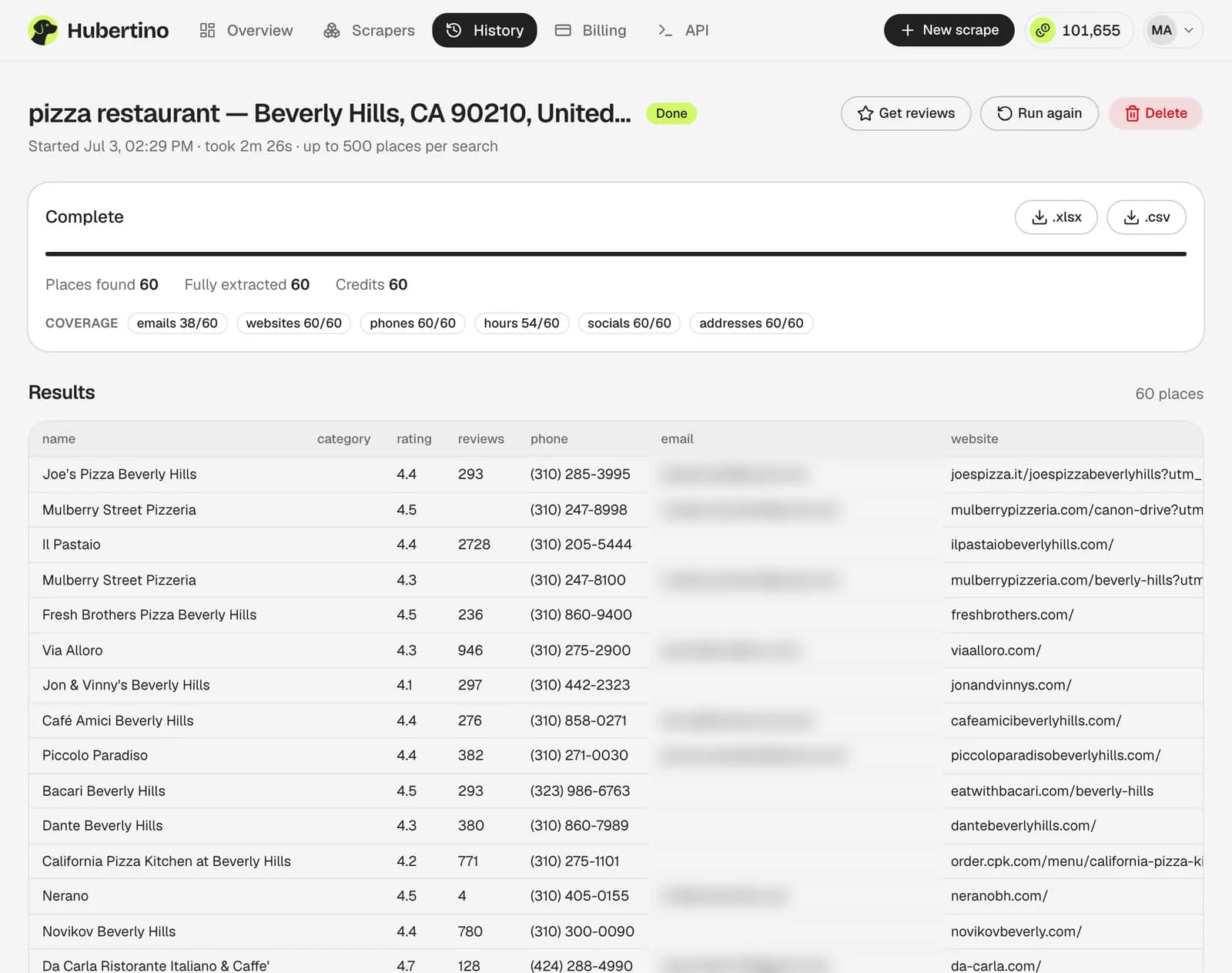
Hubertino's Google Maps email extractor runs both steps in one job and adds the address as a column in your export. The rate varies by country and industry; our study of local business email availability breaks it down.
Key takeaways
- No website, or only a social page? That's a phone lead, not an email lead.
- Rates run from 56% in the US to 81% in Germany, and swing wider by industry.
- Outscraper and Apify charge extra for emails (checked September 2026); Hubertino's per-business credit includes them.
On this page8
Five ways to do it, compared
| Method | How it works | Cost | Best for |
|---|---|---|---|
| By hand | Open each listing's website and look in the footer, then the contact, about or imprint page | Your time | A few dozen businesses |
| Browser extension | Adds emails and social links to Google Maps as you browse it, e.g. Scrap.io's Maps Connect | Free (Maps Connect) | The listings you're already looking at |
| Outscraper Emails & Contacts | A separate enrichment you add to an Outscraper Maps scrape, run on the websites it found | Billed separately from the listings | Existing Outscraper users |
| Apify contacts add-on | An add-on to Apify's Google Maps Scraper actor, charged on places with a website | Billed separately from the listings | Developers already on Apify |
| Hubertino | Checks every listed website during the scrape: the homepage, then up to two contact or imprint pages | Included in the 1 credit per business: $0.276–$0.58 per 1,000 businesses, the first 100 businesses free | A lead list with emails in one file |
Notes and sources
Outscraper and Apify bill the email lookup on top of the listings, and neither publishes how often it finds an email (checked September 2026, from the pages under Sources). What each costs per 1,000 businesses: Outscraper vs Scrap.io vs Apify pricing.
Step 1: build the business list first
Scrape your category in your area with website links, split by ZIP or postal code so the 120-result cap doesn't cut it short (how to scrape Google Maps). Some listings have nowhere to publish an address:
- of listings link no website
- 7%
- link only a Facebook, Instagram or booking page
- 2%
Skip the site-by-site email hunt
- 100 free credits
- No card required
Step 2: find the email on each site
Check the homepage footer, then the contact page, then the about page or, in Germany, the Impressum (legal notice), which must include an email. An automated check goes in the same order, reading mailto: links and email-shaped text and rendering JavaScript pages in a real browser.
Hubertino's Google Maps email extractor does this for every scraped website, prefers the business's own domain over free webmail, and collects Facebook, Instagram, X, YouTube and LinkedIn links, all within the business's credit.
How many emails to expect, by country
Basis: the first results of 6,399 Google Maps searches (70,643 businesses, 20 industries, 324 cities in five countries, July–September 2026). Method and CSV: our study of local business email availability.
| Country | Businesses checked | Email found | Free webmail |
|---|---|---|---|
| US | 37,486 | 56% | 25% |
| UK | 8,968 | 73% | 16% |
| Germany | 7,208 | 81% | 9% |
| Canada | 6,179 | 69% | 20% |
| Australia | 5,183 | 68% | 15% |
| All five | 65,024 | 63% | 20% |
How we counted
Email found is out of the businesses checked: every business in the samples where our website email check ran, including those with no website, so it is a rate per business, not per website. Free webmail (Gmail, Outlook, Yahoo and the like) is a share of the emails found. Samples taken July–September 2026.
Note
Why the rates may run high
How many emails to expect, by industry
The rate runs from 39% of nail salons to 74% of real estate agents; the last column shows part of the reason.
| Industry | Businesses checked | Email found | No website of its own |
|---|---|---|---|
| Real estate agents | 3,274 | 74% | 4% |
| Veterinarians | 3,210 | 74% | 3% |
| Moving companies | 2,603 | 71% | 5% |
| Accountants | 3,222 | 71% | 8% |
| Physical therapists | 3,044 | 70% | 2% |
| Landscapers | 3,312 | 69% | 8% |
| Gyms | 3,263 | 68% | 3% |
| Dentists | 3,665 | 67% | 3% |
| Roofing contractors | 3,649 | 67% | 6% |
| Med spas | 2,598 | 66% | 5% |
| Law firms | 3,250 | 65% | 2% |
| Electricians | 3,619 | 63% | 11% |
| Restaurants | 3,327 | 63% | 4% |
| HVAC contractors | 3,580 | 63% | 7% |
| Chiropractors | 2,998 | 62% | 5% |
| Plumbers | 3,644 | 62% | 7% |
| Hair salons | 3,294 | 54% | 19% |
| Coffee shops | 3,196 | 49% | 21% |
| Auto repair shops | 3,314 | 46% | 23% |
| Nail salons | 2,962 | 39% | 30% |
How we counted
Email found is out of the businesses checked: every business in the samples where our website email check ran, including those with no website, so it is a rate per business, not per website. No website of its own counts listings that link no website or only a social or booking page, out of every business sampled in that industry.
Step 3: keep the list deliverable
Published addresses go stale, so clean the list before the first campaign (how to verify and clean a scraped email list).
- Dedupe by domain: branches usually share an inbox
- Verify in your sending tool
- Check free webmail too: 20% of the emails we found are Gmail, Outlook and the like
- Keep website, phone and place_id next to each email
Common questions
Does Google Maps have an email field?
What share of businesses will have an email?
Can I send cold email to the addresses I find?
Sources
Outscraper Emails & Contacts Scraper (archived June 17, 2026; checked September 2026)
Apify Google Maps Scraper pricing (checked September 2026)
Scrap.io Maps Connect (checked September 2026)
Written by
Doug Nielsen, Product Manager
Doug works on Hubertino; the guides on this site are published under his name. Last updated .