How to enrich a business list with emails and socials
By Doug Nielsen, Product Manager · Updated · first published
To enrich a Google Maps list with emails and socials, crawl each business's own website: mailto: links, the contact page and footer social links. Owner names don't come from a crawl: on Starter and Pro, Hubertino's paid decision-maker add-on looks them up on public professional profiles.
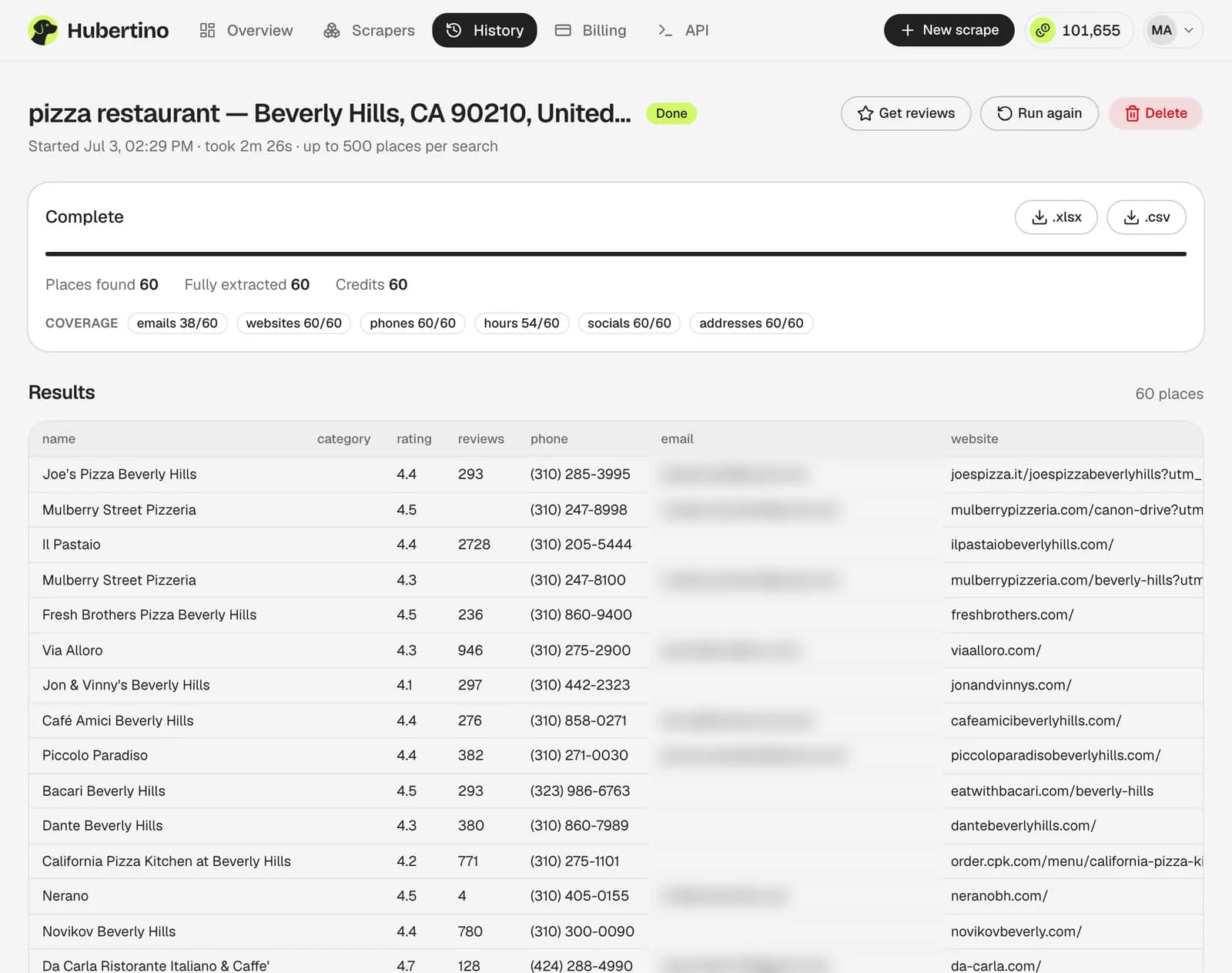
Hubertino's email extractor does this website pass during the scrape, and its page shows hit rates by country and industry.
Key takeaways
- Emails come from each business's own website; Google's listing never shows one.
- No scraper finds every email; rates vary by trade.
- Filter out junk addresses, then verify what's left.
On this page6
What can and can't be added
A Google Maps listing has name, category, phone, website, address, coordinates, rating, review count, hours and Google's IDs, sometimes social links, never an email.
Watch out
What no crawl can add
How the extraction chain works
Fetch the homepage
mailto: links first (unambiguous), then email-shaped text in the header and footer.Follow the likely contact pages
/contact, /contact-us, /about and /impressum; deeper pages rarely pay off.Render the pages that need it
Page builders often inject the contact block with JavaScript, which a plain HTTP fetch never sees.Grab the socials on the way past
In some local categories Instagram is more active than the website.Discard the junk
Drop image names that look like emails ([email protected]), the web agency's address and site-builder noise, then verify what's left.
Skip the site-by-site email hunt
- 100 free credits
- No card required
Realistic hit rates
What businesses publish caps every scraper's hit rate, so a 95% promise counts guessed addresses or something else. Rates vary by trade: emails were found for 39% of nail salons to 74% of real estate agents. Most rows without one still have a phone, usually the better channel for trades and hospitality.
- of 65,024 sampled businesses had an email found, websites or not
- 63%
- of sampled listings had a phone number
- 93%
Don't pay for it twice
Buying emails from a vendor after scraping means a second per-record fee; Hubertino's crawl runs in the same job at no extra cost.
Tip
Keep the provenance
Common questions
Can you find a named contact, like the owner?
Does enrichment cost extra credits?
What about businesses with no website at all?
Written by
Doug Nielsen, Product Manager
Doug works on Hubertino; the guides on this site are published under his name. Last updated .