Google Maps scraping without coding: what actually works
By Doug Nielsen, Product Manager · Updated · first published
To scrape Google Maps without coding, type a category and locations into a hosted tool and download a spreadsheet of the listings, emails included. The tool handles the hard parts: scrolling feeds, consent screens, rotating IPs and parsing websites for emails.
The workflow below is how our own no-code Google Maps scraper runs, and your first 100 businesses are free.
Key takeaways
- No-code covers any “category X in area Y” spreadsheet, emails included.
- A city-wide search stops at roughly 100–120 places; let the tool split it by ZIP.
- Schedules and CRM syncs need an API, which every Hubertino plan includes.
On this page6
What no-code handles well
Anything shaped like “every business of category X in area Y, as a spreadsheet”, including the emails Maps doesn't show: a hosted tool fetches them from each business's own website. How to extract emails from Google Maps covers the hit rates to expect.
Where no-code stops
Schedules, CRM syncs and custom logic need an API, and Hubertino's REST API takes a Bearer key on every plan, the free one included.
Hubertino starts from Google Maps only, not LinkedIn, Apple or Bing Maps: if your customer isn't a place on a map, it's the wrong tool. The optional decision-maker add-on enriches those places with owners and other top executives; it doesn't search LinkedIn or company databases on its own.
Get the whole list in one job
- 100 free credits
- No card required
The whole workflow, no code
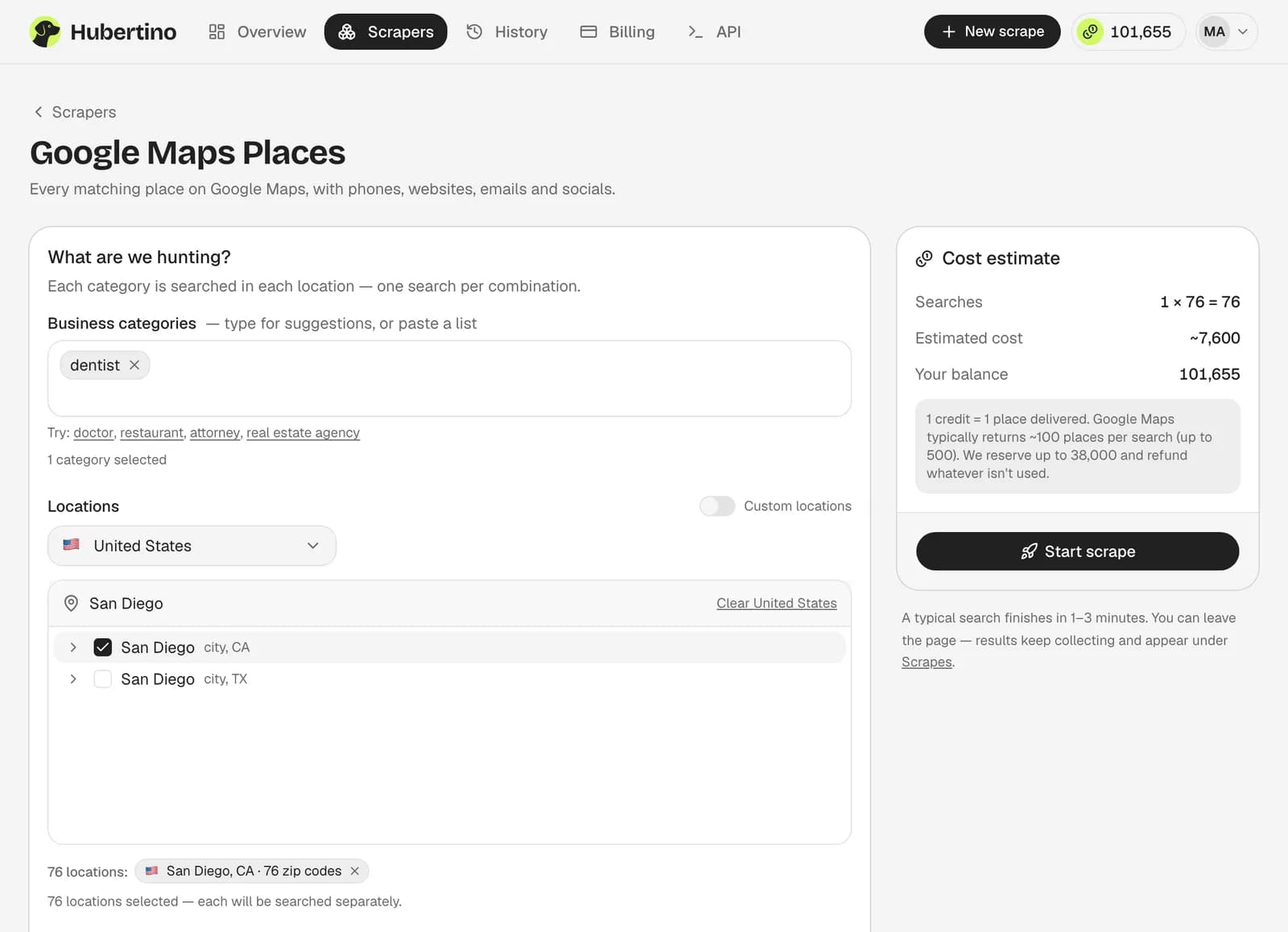
Write the category the way Google understands it
“HVAC contractor”, “pilates studio”. Unsure? Search it on Google Maps first and check the results are the businesses you meant.Choose locations at the right grain
Pick a city and each of its ZIP codes runs as its own search (ZIP-code scraping explains why).Let it run and watch the table
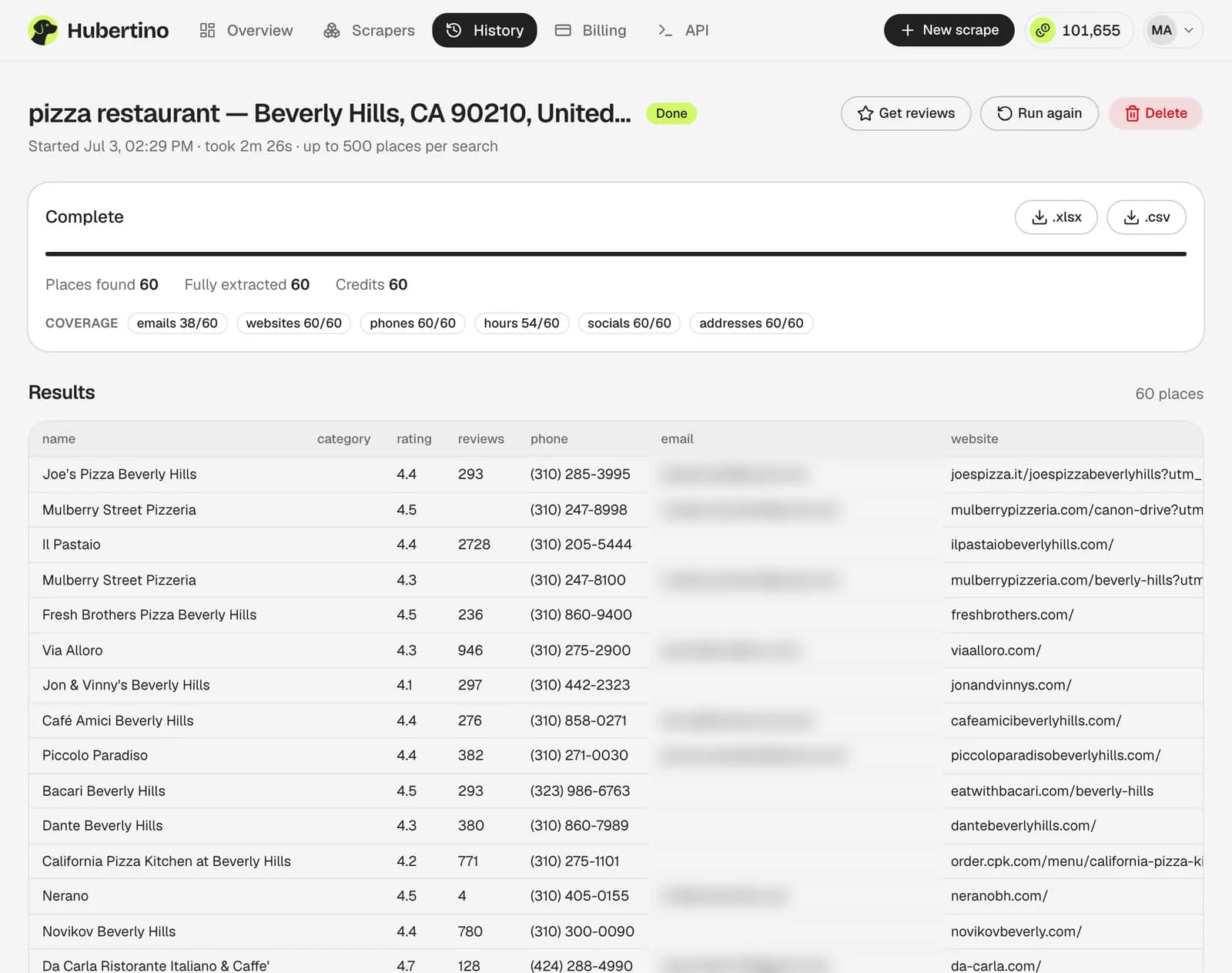
Rows appear as they're found, then fill in with phone, website, address, rating, hours, coordinates, emails and social profiles.Export or hand it off
XLSX or CSV, 38 columns. Unused reservations refund automatically, so you pay only for rows delivered.
When you shouldn't bother
Twelve restaurants on one street? Copy them from Maps. A tool earns its keep past about 20 businesses, when you need emails, or when you'll repeat the pull next quarter.
Common questions
Do I need to install anything?
Will a browser extension do the same thing?
Is there a free way to try it?
Written by
Doug Nielsen, Product Manager
Doug works on Hubertino; the guides on this site are published under his name. Last updated .